Undertale Battlez Guides Hub
Day-one onboarding through boss patterns, PvP, farming, and unlocks — mapped for the current BETA.
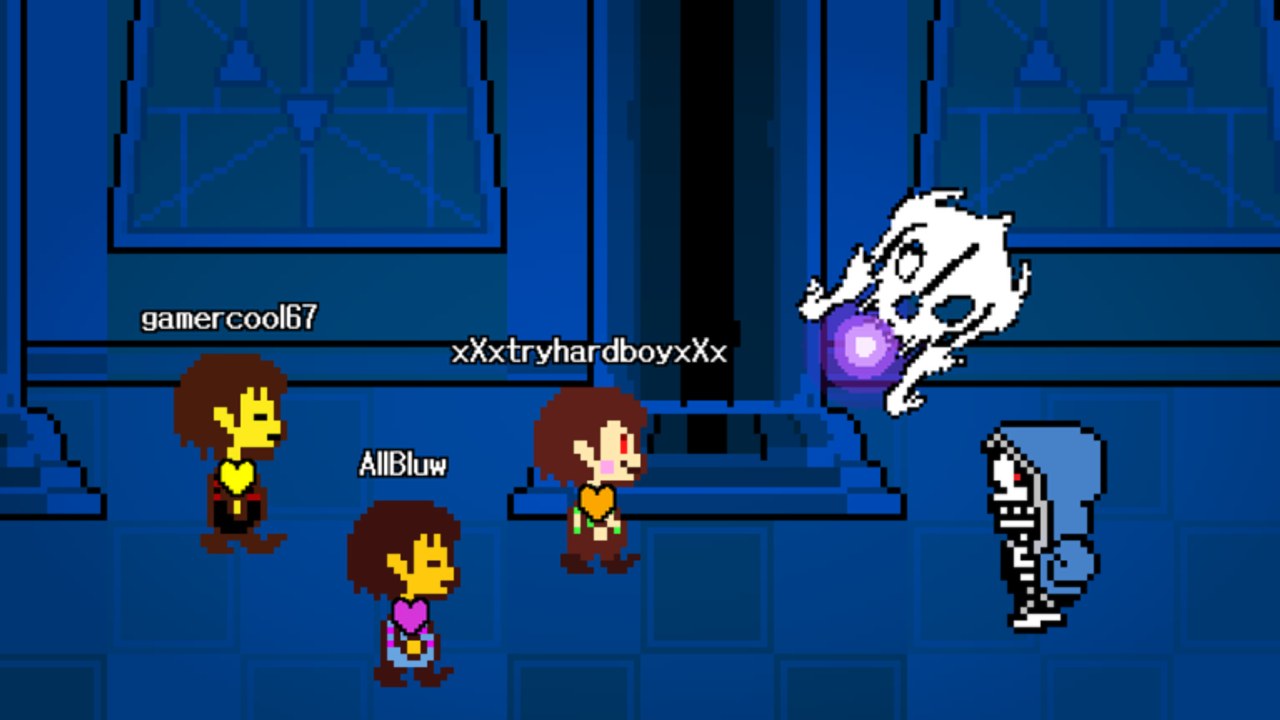
Welcome to the Guides Hub for Undertale Battlez, the Roblox BETA fighting sim from Bluw’s Studio. This page is the map for every how-to on the wiki: joining the place, claiming free currency, learning movement and dodge habits, training against iconic UNDERTALE-inspired bosses, unlocking skins such as Limbo Sans, earning Gold and D$, building custom bosses, and stepping into PvP without wasting your first sessions.
Undertale Battlez is unofficial and not affiliated with Toby Fox. Servers support up to 16 players. The loop mixes training, boss fights, cosmetic and attack-skin unlocks, custom boss creation, and player-versus-player matches. Currencies center on Gold and D$. Because the experience is still in BETA with Massive Update branding on Roblox, treat patch notes and Updates as living documents — mechanics can shift, but the habits below stay useful.
Start here if you just joined
New players should open Getting Started first. That guide covers joining place 79493991899413, reading the main menu, redeeming codes, your first training fights, what Gold and D$ are for, and a sensible unlock order. Claim active codes immediately from the Codes hub — milestone strings such as K200VISITS, FAV6K, and THANKSFOR600CCU drop free Gold and D$ that skip a chunk of early grind.
Once you can move and open menus confidently, skim Controls. Exact keybinds can differ by device and BETA builds, so that page teaches principles: movement, attack commitment, soul-style dodge habits, camera comfort, and menu hygiene. Pair it with live practice against soft bosses before you queue PvP.
Combat and progression path
- Boss Fights — pattern reading, patience, common mistakes, and how training feeds the Gold loop. Use it with the community Tier List Hub when you want suggested learning order and meta chatter.
- Gold Farming — codes first, then efficient training and event awareness so you do not burn currency on impulse cosmetics.
- Limbo Sans — community unlock walkthrough tied to the public showcase video, plus a reminder that BETA steps can change.
- Unlock Skins — cosmetic versus attack skins, Gold/D$ funding, shop discipline, and how showcase goals fit the spend order.
- Beginner Tips — session templates, common mistakes, when to enter PvP, and habits that protect early currency.
- Custom Bosses — how creation and battle features fit the loop, readability tips, testing with friends, and sportsmanship.
- PvP Guide — spacing, reading attacks, when to push, etiquette, and why cosmetics are not free wins.
Cross-check rankings on the Tier List Hub after you understand the basics. Tiers here are community opinion for a moving BETA meta, not official balance sheets.
How to use this hub efficiently
- Redeem codes and finish the day-one checklist in Getting Started.
- Drill Controls while farming an easy boss for Gold.
- Climb a few bosses using Boss Fights + the boss tier list.
- Save currency with Gold Farming before chasing rare skins.
- Practice custom patterns or watch Limbo Sans unlock notes if that is your goal.
- Enter PvP only after you can consistently dodge readable patterns.
Every guide page includes FAQs and internal links with trailing slashes. Prefer those anchors over guessing URLs. If a patch reworks a menu or unlock, re-check Updates and the affected guide rather than trusting memory from an older session.
What these guides are not
They are not scripts, exploits, or unofficial executor pages — those live under Scripts with their own warnings. They are not a substitute for Roblox platform rules or developer announcements from Bluw’s Studio. They also do not claim affiliation with UNDERTALE. Use the wiki to shorten the learning curve: claim free rewards, train smarter, unlock with intent, and fight other players with clearer habits.
When you finish a guide, jump to a related hub chip — Codes, Tier List, or Updates — so your next click stays useful. Bookmark this Guides Hub if you return after a Massive Update; the subpage list below is the fastest way to re-orient after balance or UI changes.
Frequently Asked Questions
Quick answers about codes, bosses, PvP, and progression.
Which Undertale Battlez guide should I read first?
Start with Getting Started for menu, codes, currencies, and first boss training. Then open Controls and Boss Fights before PvP.
Do these guides work on mobile and console?
Principles transfer across devices. Exact binds can differ in BETA, so Controls focuses on habits rather than one fixed keyboard map.
Where do I claim free Gold and D$?
Use the in-game Codes button and follow the Codes hub. Redeem milestone codes as soon as they appear because BETA gifts can expire.
Is Limbo Sans covered here?
Yes. The Limbo Sans guide summarizes community unlock steps from public showcases and links codes mentioned alongside that content.
Are custom bosses and PvP separate modes?
They are related parts of the same loop. Train and create readable patterns first, then take those habits into PvP with friends or public lobbies.
How often should I re-check guides during BETA?
After any Massive Update or when a code list changes. Pair guide rereads with the Updates hub so unlock and economy notes stay current.