Undertale Battlez V1.30 Release
Showcase-based context for the V1.30 drop — re-verify codes, bosses, and menus after you update.
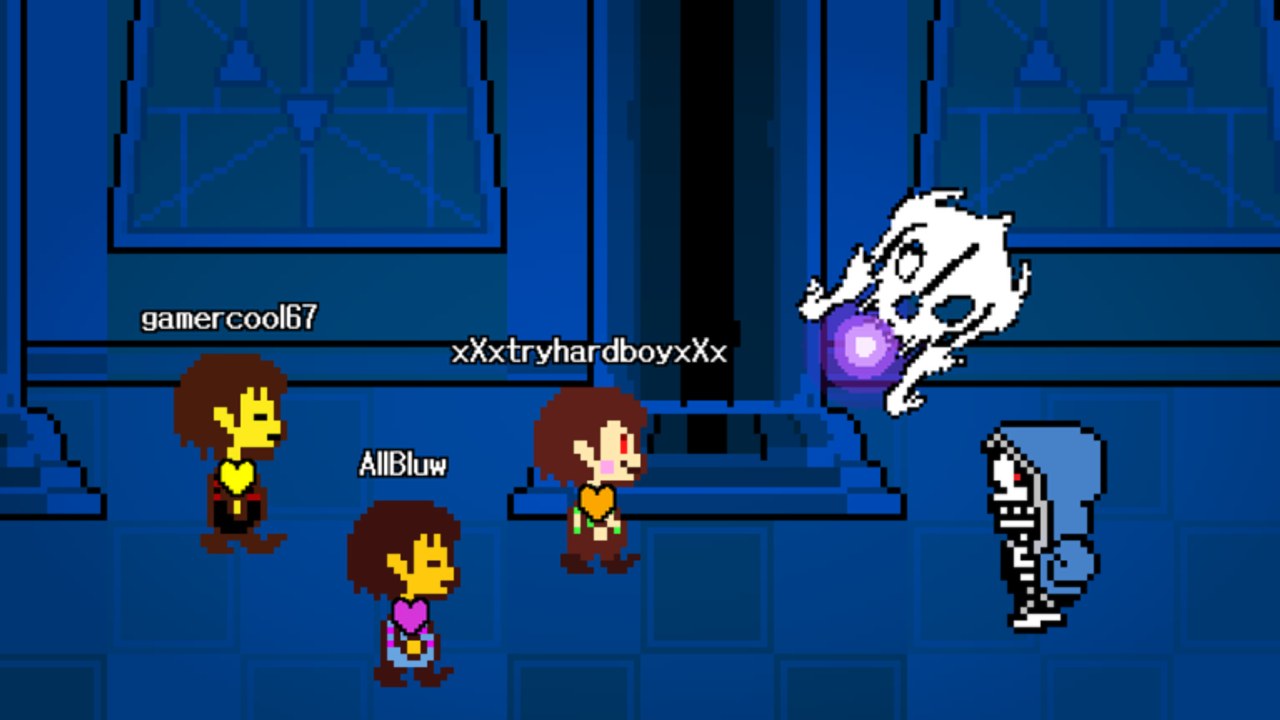
V1.30 is one of the version milestones players still search for when they talk about Undertale Battlez on Roblox. Public creator coverage — including the AllBluw showcase titled around the V1.30 release — is how many fans first noticed a fresh build, new presentation, or “Massive Update” energy on the experience from Bluw’s Studio. This page turns that public context into a practical checklist so you do not watch a trailer, hop in, and immediately burn Gold on outdated assumptions.
Undertale Battlez remains an unofficial BETA fan experience and is not affiliated with Toby Fox. Primary place id 79493991899413, universe id 10768728500. For the wider patch map, return to the Updates Hub.
What the public V1.30 showcase is useful for
Showcase videos are not the same as a studio patch PDF. They are still useful because they:
- Confirm that a numbered client bump was real and worth community attention.
- Show lobby, menu, or fight presentation as it looked near that release window.
- Nudge players to re-enter the live place instead of trusting a week-old private server memory.
- Often sit next to other uploads about codes or unlocks (for example Limbo Sans + codes coverage on related videos).
Watch the embedded showcase mid-article, then treat every mechanic claim as something to re-verify in your own client. BETA builds after V1.30 can already differ.
Re-check list after you update (or return from a break)
1) Codes and free currency
Open the main menu CODES flow immediately. Milestone strings rotate around visit, favorites, and CCU celebrations. As tracked on the Codes Hub, active examples include K200VISITS, FAV6K, and THANKSFOR600CCU. Redeem before you shop. If a code that worked in a video fails now, it may have expired after the campaign window — that is normal, not necessarily a V1.30 bug.
Full redemption troubleshooting: How to Redeem Codes.
2) UI and menu paths
Version bumps frequently shuffle button labels, shop categories, or how training / custom bosses / PvP are entered. Before you blame lag:
- Confirm you can open Codes, inventory/skins, and training from the live menu.
- Note any new banners or Massive Update copy on the Roblox page.
- Restart Roblox once if UI elements render blank after a deploy.
Day-one orientation still lives in Getting Started if the menu no longer matches your memory.
3) Bosses and training feel
Even small collider or telegraph tweaks invalidate yesterday’s muscle memory. After V1.30-style updates:
- Warm up on a soft fight.
- Clear one mid-ladder boss you already know.
- Only then attempt showcase walls such as Limbo Sans style encounters.
Use the Boss Tier List for learning order and Boss Fights for execution habits. If a pattern feels unfair compared to an old clip, assume the build changed until proven otherwise.
4) Skins, attack skins, and economy
Shops move in BETA. A cosmetic that looked cheap in a showcase might sit behind a different sink now; an attack skin might be relabeled. Re-read the Skins Tier List before dumping D$. Sustain loops belong in Gold Farming, not in panic Robux spends.
5) Custom bosses and PvP
Custom arenas and PvP inherit timing changes too. Re-test a favorite custom with friends using notes from Custom Bosses, and postpone ego sets until you finish a calm warm-up from the PvP guide.
How V1.30 fits the wider BETA story
Bluw’s Studio has been iterating in public: frequent content energy, milestone codes, and creator-visible version labels. V1.30 is a waypoint, not the end of the roadmap. Newer clients may already supersede pieces of the showcase. When that happens, keep using this page’s re-check habits even if the number on your screen is higher — then watch for a newer file under the Updates Hub.
Studio identity, group links, and announcement hygiene: Bluw’s Studio and the Links Hub.
Suggested session plan the day you notice V1.30 (or any similar bump)
- Update Roblox and join the official experience.
- Redeem codes; screenshot your currency if you like bookkeeping.
- Watch or rewatch the showcase for presentation cues only.
- Run the warm-up → mid boss → optional hard boss ladder.
- Review tier lists before purchases.
- Tick the progression checklist so weekly habits stay honest.
What this page will not claim
We will not invent a fake bullet list of every internal commit. We will not promise that every visual in the showcase still matches today’s shop. We will not host scripts that “restore old V1.30 values.” If you need automation risk context, use the Scripts Hub.
Bottom line
V1.30 matters because the community treated it as a real release moment. Your job after any such moment is simple: redeem codes, re-learn the UI, re-test bosses, and spend currency only after the new build makes sense. Keep this page bookmarked while the showcase is still part of the conversation, and always climb back to the Updates Hub for the next numbered drop.
Frequently Asked Questions
Quick answers about codes, bosses, PvP, and progression.
What is Undertale Battlez V1.30?
A community-visible version milestone covered in public showcase videos. Use it as a cue to re-verify codes, UI, bosses, and shops in your live BETA client.
Where can I watch the V1.30 showcase?
This page embeds the public release showcase video. Watch it for presentation context, then confirm details in-game.
Should I still redeem codes after updating to V1.30?
Yes. Always open the Codes menu after a deploy. Some milestone codes appear around version celebrations; others may expire afterward.
Did V1.30 permanently freeze the meta?
No. Undertale Battlez is still BETA. Later hotfixes can change bosses, skins, and UI again — keep using the Updates Hub.
What should I fight first after updating?
Warm up on an easy encounter, clear one familiar mid boss, then attempt harder showcase fights. Follow the boss tier list for order.
Is this V1.30 page an official patch note?
No. It is a fan wiki summary built from public showcase context and practical re-check guidance, unaffiliated with Toby Fox and not a studio press kit.